Sample report · This is the complete, unedited report from a real audit of flowdrome.com — one of our own products, graded by the same AI customer that grades everyone. Every customer receives exactly this, about their site.
Run yours →Complete website experience audit
www.flowdrome.com
The journey itself took 5 browser steps across 3 pages · confidence 85%
“Safe boundary” = the AI stopped where continuing would have real-world effects (payments, signups, installs). It never completes real transactions.
Flowdrome clearly communicates what it is â a self-hosted workflow automation platform where flows run on your own machines â and the primary journey to install and get started works smoothly with complete, no-account documentation. The main obstacles are trust and framing: the homepage shows no third-party proof, does not signal at first glance that the product is free to start with no key, and its canonical tag points to a different host than the one actually served. None of these block installation, but together they add hesitation and discovery effort at the moment a technical evaluator is deciding whether to commit.
Scorecard
The offer and category are stated plainly across the homepage and docs ('Flowdrome is a workflow automation platform ⦠your workflows run on your machines'). Clarity is reduced at the moment of first impression because the free, no-account entry point is only stated on the pricing page, and terms like 'fleet' arrive before explanation.
Visual professionalism is high and the docs are detailed and honest (including candid scope notes on the Zapier importer), but no third-party proof â customer quotes, named users, community metrics â is visible on the homepage, so trust rests mainly on self-description for a product visitors must install and give credentials to.
The install-and-get-started path is direct and frictionless: the prominent 'Get started' CTA leads to complete, self-serve install instructions requiring no account or payment, followed by a first-workflow tutorial. Points are deducted because the free entry point is under-signaled at first impression and integration coverage is presented via single-item reference pages rather than browsable overviews.
The mobile above-the-fold impression is coherent, with clear hierarchy, a legible headline, and a visible primary CTA, and mobile page delivery was fast in measurement. Scoring confidence is moderate because only the homepage mobile state was captured as screenshots; interior docs pages were not tested on mobile.
Scored from measured signals starting at 100. Deductions: No Content-Security-Policy â8, No X-Frame-Options â3, No X-Content-Type-Options â3, No Referrer-Policy â2. Positives: HTTPS, no mixed content, no automated accessibility issues.
On-page fundamentals are largely sound: one H1, a descriptive title, a meta description, alt text on all images, and a language attribute. The score is held down by a canonical tag pointing to the non-www host while the site is served on www, and by the absence of a social-share image and structured data.
Top 3 highest-impact fixes
The homepage does not signal at first glance that the product is free to start with no key or account.
The hero describes self-hosting and 'one engine' but the free-to-start, no-key entry point appears only on the pricing page ('Install â no key needed', 'Free â $0'). First-impression review noted cost and barrier to entry are unclear above the fold.
A visitor who does not scroll or open pricing may not realize they can start immediately at no cost, adding discovery effort at the entry point.
Add a short, factual free-to-start line near the hero CTA using wording already present on the pricing page.
Place one line directly beneath or beside the hero 'Get started' button; keep it grounded in existing claims and do not introduce trial or credit-card language (the offer is a free plan, not a trial).
The homepage offers no third-party proof for a product visitors must install and trust with credentials.
No customer logos, testimonials, user counts, or community metrics are visible above the fold on either viewport; first-impression trust rests on visual polish and self-description.
Some evaluators may hesitate before installing or purchasing because confidence rests only on the site's own claims.
Add genuine, verifiable trust signals the business already has â real user quotes, named organizations that permit reference, or community/repository metrics.
Publish only figures you can substantiate; do not invent counts or claims. A concise proof strip on the homepage is sufficient.
The 'Nodes' navigation and the templates URL land on a single reference item instead of a browsable catalog.
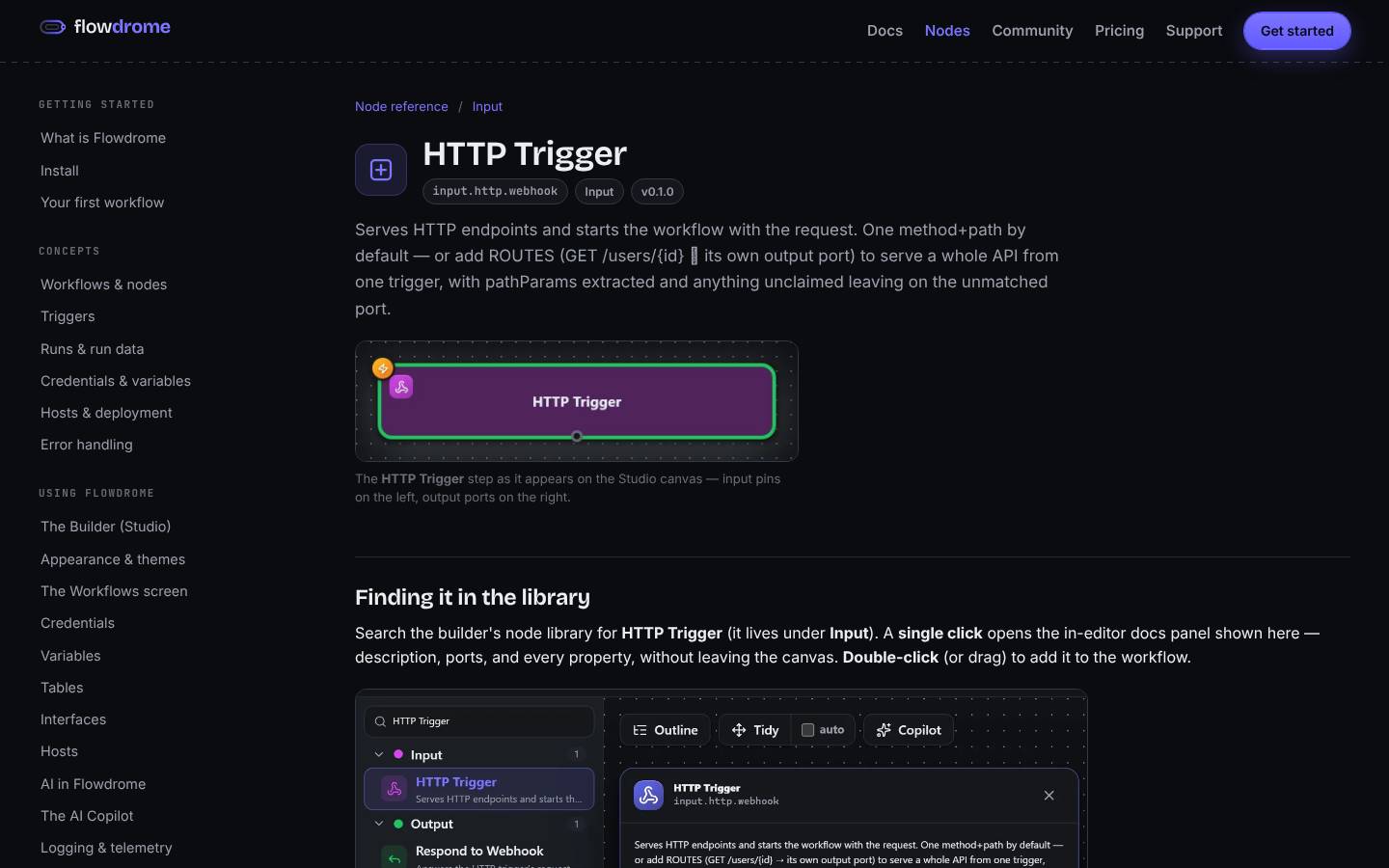
The 'Nodes' destination /docs/nodes/ has title 'HTTP Trigger node' and H1 'HTTP Trigger'; /docs/templates/ has title 'Runbook â Manual run â template' â single items rather than overviews, while the homepage promotes 'Browse the 113 nodes' and '88 one-click templates'.
A visitor confirming integration coverage lands on one item and must hunt for the full catalog, adding effort exactly when they are judging whether coverage is sufficient.
Make the 'Nodes' navigation destination and the templates landing URL resolve to a browsable index of all nodes and all templates, with individual reference pages one click deeper.
Confirm whether these URLs are intended as indexes before changing routing; if so, point them at the catalog overview. Observed on a single attempt â verify current routing first.
First impression vs. reality
A self-hosted workflow automation platform ('Flowdrome') where you build workflows visually and run them on your own servers, containers, or VMs rather than in a third-party cloud queue.
Developers, DevOps/engineering teams, and technically-oriented users who want automation running on infrastructure they control.
Ownership and control â run automation on your own machines, build visually, and test against real data before deploying.
Click the primary 'Get started' button, or secondarily 'Browse the 113 nodes'.
Moderately positive â polished, intentional design and a realistic product screenshot suggest a credible tool, but with no logos, testimonials, or third-party proof visible, trust rests mainly on visual polish and self-description.
The hero headline 'Where workflows run.' with 'run' emphasized in purple → The purple 'Get started' buttons (top-right nav and hero) → The product UI screenshot showing the node-based Studio editor
The hero reads as a premium developer tool of unknown cost, but the product is actually free to start with no key and no account â a low-friction entry point that only becomes clear on the pricing and install pages, not at first glance.
Customer journey replay
| # | Page | Action | Result | Friction |
|---|---|---|---|---|
| 1 | Homepage | Reviewed the hero and clicked the primary 'Get started' button to begin installing. | Arrived directly on the Install documentation page. | — |
| 2 | Install docs | Read the setup overview. | The page clearly explained the Nucleus (control plane with Studio) plus one or more hosts, and that the Nucleus ships with a built-in host so installing it alone gives a complete working product. First-boot admin login and a security warning to change it were documented. | — |
| 3 | Install docs | Scrolled to find actual download links and install commands. | Found four release artifacts with SHA256 verification, a one-line Proxmox install, and separate Nucleus/Host commands. | — |
| 4 | Install docs | Continued reading Docker, LXC, and from-source options plus upgrade guidance. | Found complete Docker (docker load + docker run with port mappings and volume), Proxmox LXC, and from-source instructions, plus post-install access at localhost:4800. | — |
| 5 | First workflow guide | Followed the natural next step into the 'Your first workflow' tutorial. | A clear, actionable tutorial (a three-node Telegram echo bot) walked through creating a workflow, adding a trigger, and using credentials and expressions â completing the on-site getting-started experience. | — |
All findings (6)
Visitors are unaffected directly, but the mismatch can send search engines conflicting signals about which host is authoritative.
Search engines may split or consolidate ranking signals to a host that differs from the one people actually reach, which can weaken organic visibility. This should be validated in a search-console/indexing check.
Decide on a single canonical host (www or non-www), make the other permanently 301-redirect to it, and ensure the canonical tag matches the host that is actually served. If www is the live host, set the canonical to https://www.flowdrome.com/.
A first-time visitor evaluating a self-hosted platform they must install and trust with credentials has no external evidence that other teams rely on it, so confidence rests only on the site's own claims.
Without visible proof, some evaluators may hesitate before installing or purchasing a license. The effect should be validated with analytics or an A/B test.
Add genuine, verifiable trust signals that the business already has â for example real customer or user quotes, named organizations that permit reference, community size, or repository/community metrics. Do not add invented counts or claims; only publish figures you can substantiate.
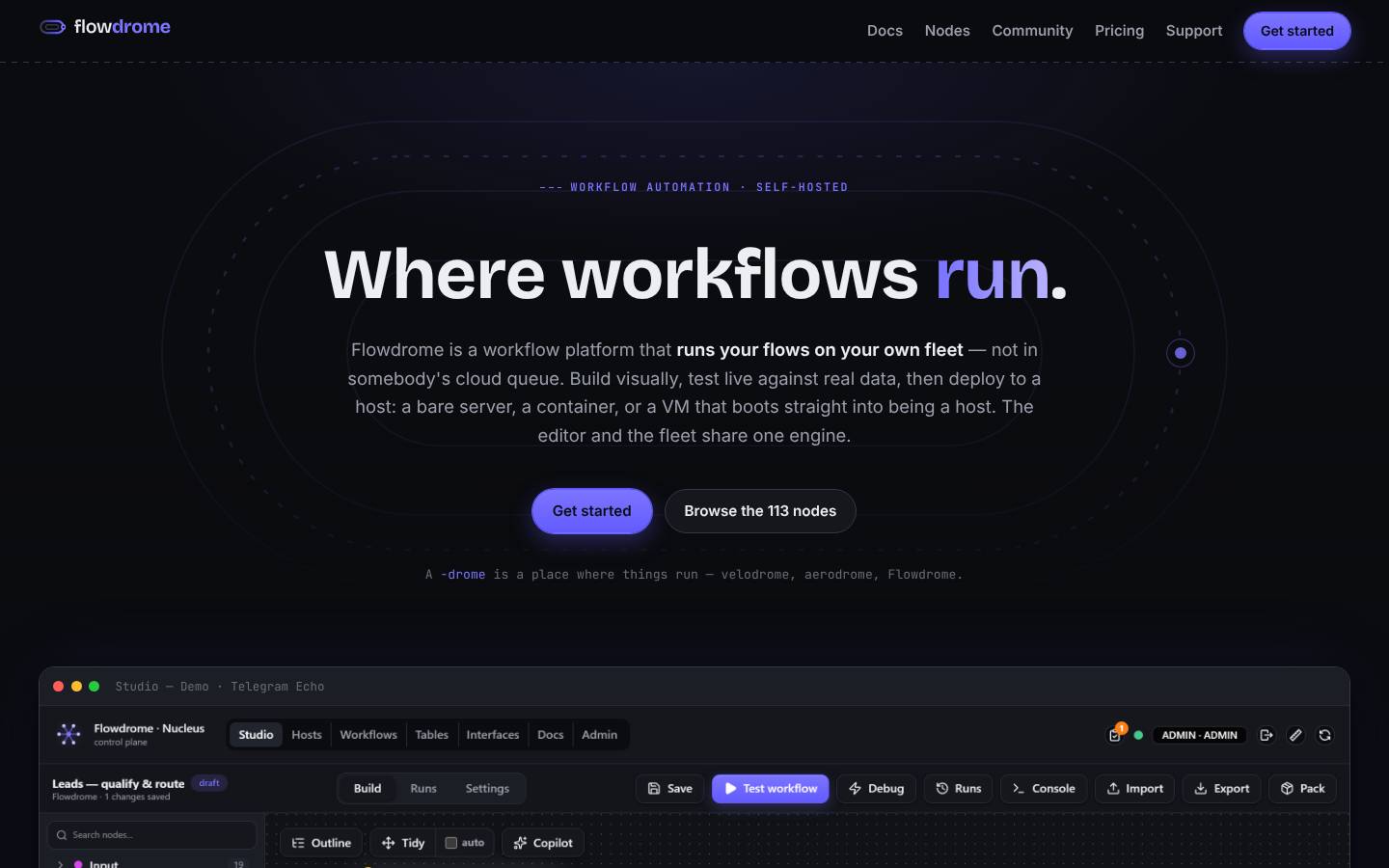
Because the primary goal is to get visitors to install the free self-hosted product, a visitor who does not scroll or open the pricing page may not realize they can start immediately at no cost and with no account.
The lowest-friction entry point (free, no key) is under-communicated at the moment of first impression, which may add discovery effort. The conversion impact should be validated with analytics or an A/B test.
Add a short, factual free-to-start line near the hero CTA, using wording already present on the pricing page. Keep it grounded in existing claims (free for personal use, no key needed).
A visitor who wants to confirm coverage by browsing all nodes or templates lands on one specific item and must then locate the actual overview, adding discovery effort at a key evaluation moment (whether the integrations are enough). (Observed on a single attempt; requires confirmation.)
Because integration coverage is a stated objection, landing evaluators on a single item rather than the full catalog may weaken the 'enough coverage' impression. The conversion impact should be validated.
Make the 'Nodes' navigation destination and the templates landing URL resolve to a browsable index/overview of all nodes and all templates, with individual reference pages one click deeper. Confirm whether these URLs are intended as indexes before changing routing.
No direct user-facing effect was observed; these are defense-in-depth hardening gaps rather than an exploitable problem.
Adding these headers would provide additional layers of defense if another vulnerability or a compromised third-party resource were present. Absence alone does not is a defense-in-depth gap that would reduce the impact of a script-injection issue if one existed.
Add a Content-Security-Policy (start in report-only mode and refine), plus X-Content-Type-Options: nosniff, a Referrer-Policy, and a framing protection (X-Frame-Options or CSP frame-ancestors). Keep the existing HSTS and HTTPS configuration.
When the homepage is shared on social platforms or messaging apps, no preview image is available, producing a plainer, less informative link preview.
Weaker share previews and the absence of structured data reduce how richly the site can appear in social and search surfaces. This is a discoverability/polish gap, not a ranking guarantee.
Add an og:image (and Twitter card image) representative of the product, and add appropriate structured data (for example Organization and SoftwareApplication) validated against a structured-data testing tool.
Copy rewrite pack
The lowest-friction entry point (free, no key) is only stated on the pricing page and is missing at the moment of first impression.
The page is served on the www host but declares a non-www canonical, sending search engines conflicting host signals. Confirm which host is authoritative before applying.
Strengths to preserve
- ✓Clear, consistent value proposition repeated across homepage and docs: workflows run on your own machines, not in a cloud queue, with one shared engine.
- ✓The install-and-get-started journey is frictionless and self-serve â no account, signup, or payment required to begin.
- ✓Documentation is detailed and specific, with copy-paste install commands for four methods and a step-by-step first-workflow tutorial.
- ✓Candid, trust-building copy â the Zapier importer is described honestly as producing 'a working skeleton you review and finish, not a perfect one-click clone', and pricing links to what happens on cancel, refund, or dispute.
- ✓Fast delivery across tested pages (homepage load 417ms desktop, mobile FCP 252ms) over HTTPS with HSTS.
- ✓Sound on-page SEO basics: single H1, descriptive title and meta description, all images have alt text, and a language attribute; no automated accessibility issues were detected in the tested states.
Prioritized action plan
Set the canonical tag to the authoritative host actually served (www) and 301-redirect the other host to it site-wide.
Add a short factual free-to-start line near the hero CTA using existing pricing-page wording.
Add an og:image and Twitter card image plus appropriate structured data (e.g. Organization, SoftwareApplication).
Add a Content-Security-Policy (start report-only), X-Content-Type-Options: nosniff, a Referrer-Policy, and framing protection while keeping HSTS.
Route the 'Nodes' nav destination and the templates landing URL to full browsable indexes, with individual items one click deeper.
Publish genuine, substantiable proof â real user quotes, referenceable organizations, or community/repository metrics.
Validate whether surfacing the free, no-key entry point in the hero affects install starts.
Ensure homepage counts (113 nodes, 100 connectors, 88 templates) and catalog pages stay in sync as the product evolves.
Retests & improvement tracking
The $49.99 Audit + Improvement Tracking package includes three retests of the same site over 90 days. Each retest re-runs the full audit and produces a before-and-after comparison: which findings you resolved, which remain, and any new regressions — because fixing your website without retesting is guessing. (This sample was a one-time audit, so no retests are attached.)
Limitations
- ·The journey stopped at the safe boundary: actual download artifacts and the package registry live on GitHub (off the flowdrome.com domain) and real installation happens on the user's own machine, so obtaining and running the software could not be executed within the browser test.
- ·No signup, booking, contact, or lead-generation flow exists on the site, so those funnels could not be tested; the commercial 'Buy Starter/Business/Hosting' checkout was not exercised.
- ·Mobile screenshots covered only the homepage; interior docs and pricing pages were not captured on mobile, lowering mobile-usability confidence.
- ·The Nodes/Templates routing observation (F-004) was seen on a single attempt and is capped in confidence; confirm whether those URLs are intended as index pages before changing routing.
- ·First-impression assessments are screenshot-based observations and model inferences, not measured eye-tracking or verified visitor behavior.
- ·Performance metrics such as CLS and LCP were unavailable in the measurement bundle, so rendering-stability and largest-paint conclusions are limited.
- ·Security-header findings are defense-in-depth hardening gaps identified from response headers, not evidence of any exploited or exploitable vulnerability.
OVERALL CONFIDENCE: 79% · This report is advisory. Predicted visitor behavior is an inference, not measured eye tracking. Accessibility checks do not certify compliance.
Get this exact report for your website.
Free website-specific preview first — pay only when you can see we actually tested your site. $29.99, no subscription. Paid reports also include the downloadable PDF.